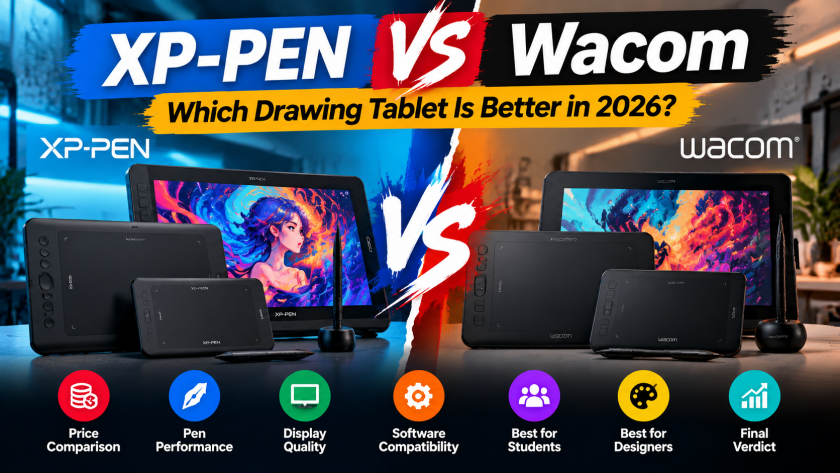
Best XP-PEN Tablets for Students in Pakistan
Digital learning is no longer limited to reading books or attending classroom lectures. Students studying graphic design, animation, architecture, fashion, engineering and digital art increasingly need tools that allow them to draw, write, edit and create directly on a computer. A reliable drawing tablet can make these activities easier, faster and more natural.
XP-PEN offers several drawing tablets designed for different skill levels and budgets. Some models are compact and affordable, while others offer a larger working area, shortcut keys and advanced pressure sensitivity. This variety makes XP-PEN a practical choice for Pakistani students who want to develop creative skills without immediately investing in expensive professional equipment.
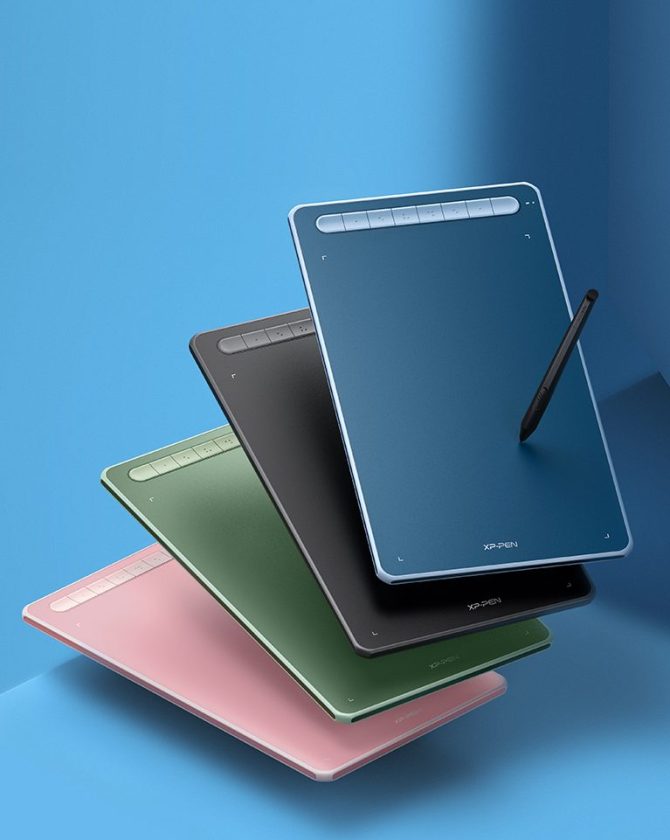
However, choosing the right model can be difficult when every tablet offers different features. This guide explains the best XP-PEN tablets for students in Pakistan and helps you select a model according to your course, budget and experience level.
Why Should Students Use an XP-PEN Tablet?
A drawing tablet allows students to control the cursor and create digital strokes using a stylus rather than a traditional mouse. This provides better accuracy and a more natural experience when drawing, writing or editing.
Students can use an XP-PEN tablet for:
- Digital drawing and illustration
- Graphic design assignments
- Photo and video editing
- Online teaching and learning
- Handwritten digital notes
- Architecture and engineering sketches
- Animation and character design
- Creating diagrams and presentations
- Signing and annotating PDF documents
A tablet is especially useful for students who frequently use programs such as Adobe Photoshop, Illustrator, Krita, Blender, Microsoft Whiteboard or other creative and educational applications.
Many XP-PEN tablets also include a battery-free stylus. Students do not have to repeatedly charge the pen, making the tablet more convenient for classes, assignments and extended creative sessions.
What to Consider Before Buying an XP-PEN Tablet
The best drawing tablet for one student may not be suitable for another. Consider the following points before choosing a model.
Your Field of Study
Your course should influence your purchasing decision. A student who only needs to annotate documents may prefer a small, portable tablet. A graphic design or animation student may require a larger working area and more shortcut keys.
Architecture, fashion and fine arts students may also benefit from a spacious tablet that allows longer and more detailed strokes.
Available Budget
Students usually have a limited budget, so it is important to buy a tablet that offers the features they actually need. An affordable entry-level tablet can be enough for learning basic digital drawing and note-taking.
More expensive models are generally appropriate for students who have already developed their skills and require additional workspace or professional controls.
Active Working Area
The active area is the section of the tablet that detects pen movement. A compact active area is easy to carry and takes up less desk space. A larger active area provides more room for detailed illustrations and natural arm movements.
Students working from home may prefer a large tablet, while those carrying the device between university and home may find a compact model more convenient.
Pressure Sensitivity
Pressure sensitivity allows the tablet to detect how firmly the stylus is pressed. Light pressure can produce thinner strokes, while greater pressure can produce thicker or darker strokes.
This feature is particularly important for digital artists, illustrators and students who want their digital brushwork to feel more natural.
Shortcut Keys
Customizable shortcut keys can reduce dependence on the keyboard. They can be assigned to frequently used functions such as undo, zoom, brush size and eraser.
Shortcut keys are valuable for students working on large design projects, although beginners who need a basic tablet may not consider them essential.
Device Compatibility
Before ordering, confirm that the selected tablet supports the operating system and device you intend to use. Check compatibility with your Windows computer, Mac, Chromebook or supported Android device on the relevant product page.
Best XP-PEN Tablets for Students in Pakistan
The following models cover different student requirements, from affordable beginner tablets to larger options for serious creative work.
1. XP-PEN Deco 640 – Best Affordable Option for Beginners
The XP-PEN Deco 640 is a compact drawing tablet suitable for students who are beginning their digital art journey. Its portable size makes it convenient for small desks, computer labs, hostels and shared study spaces.
According to its product listing, the tablet provides a 6 × 4-inch working area, a battery-free stylus and 16,384 levels of pressure sensitivity. These specifications make it suitable for sketching, basic illustration, photo editing and educational activities.
The compact surface may require some adjustment for students accustomed to drawing on large paper sheets. However, it is easier to carry and normally more affordable than larger models.
Best for:
- Beginners learning digital drawing
- School and university students
- Online classes and note-taking
- Students with limited desk space
- Buyers looking for an affordable first tablet
The Deco 640 offers a practical balance between price, portability and pressure sensitivity, making it one of the most accessible options for students.
2. XP-PEN Deco Mini 7 V2 – Best Portable Tablet with Shortcut Keys
The XP-PEN Deco Mini 7 V2 is another student-friendly option. It offers a larger active area than many ultra-compact tablets while remaining portable enough to carry in a laptop bag.
Its product listing highlights a 7 × 4.37-inch working area, 8,192 pressure levels, tilt support, a battery-free stylus and eight shortcut keys. The shortcut buttons can help students access commonly used functions without interrupting their workflow.
This model can be particularly useful for learners using Photoshop, Illustrator or digital painting software. Once the shortcut keys are configured, tasks such as changing brushes, zooming and undoing mistakes can become faster.
Best for:
- Graphic design students
- Digital art beginners
- Students who need customizable shortcut keys
- Learners working in hostels or shared spaces
- Students who regularly travel with their equipment
The Deco Mini 7 V2 is a strong option for students who want portability without giving up useful creative controls.
3. XP-PEN Deco 01 V3 – Best Large Tablet for Digital Art
Students who want a more spacious drawing surface can consider the XP-PEN Deco 01 V3. Its large 10 × 6.25-inch working area provides more room for long strokes, detailed illustrations and complex design projects.
A larger working area can feel more natural for students moving from traditional paper drawing to digital art. It also gives architecture, fashion and illustration students more space to work on detailed sketches.
The tablet requires more desk space than compact models. Therefore, it may not be the most convenient choice for students who frequently travel or work in small environments. For a permanent home or studio setup, however, its larger surface can provide a comfortable experience.
Best for:
- Fine arts and illustration students
- Architecture and fashion design students
- Learners working on detailed projects
- Students who prefer a spacious drawing area
- Intermediate users improving their creative skills
The Deco 01 V3 is suitable for students who want a tablet that can continue supporting them as their skills and project requirements grow.
4. XP-PEN Deco M – Best Balanced Choice for Everyday Study
The XP-PEN Deco M offers an 8 × 5-inch active area, giving students a useful middle ground between compact and large tablets.
It is spacious enough for regular drawing and design activities but does not require as much desk space as a larger model. This balance makes it useful for students who need one device for assignments, digital illustration, note-taking and general creative work.
The product listing also mentions support for tilt functionality and customizable shortcut keys. These controls can help students create a more efficient workflow as they become familiar with creative software.
Best for:
- Students needing an all-purpose drawing tablet
- Graphic design and illustration learners
- Intermediate digital artists
- Users who want a balanced active area
- Students working on regular creative assignments
For many users, the Deco M may provide a comfortable combination of workspace, portability and controls.
5. XP-PEN Deco Mini 4 – Best for Basic Study and Note-Taking
The XP-PEN Deco Mini 4 is designed for users who value portability and simplicity. Its small format can be useful for handwritten notes, document annotation, online classes and basic drawing exercises.
A compact tablet is easier to place beside a laptop and can be carried without adding significant weight to a student’s bag. However, its smaller surface may not be ideal for detailed professional illustration or students who prefer drawing with broad arm movements.
Best for:
- Online learning
- Handwritten digital notes
- PDF annotation
- Basic drawing practice
- Students with a limited budget or desk space
This model is worth considering when portability and basic functionality matter more than having a large creative workspace.
6. XP-PEN Artist 12 2nd Gen – Best Pen Display for Advanced Students
Traditional graphic tablets require students to look at the computer monitor while drawing on a separate surface. A pen display allows users to draw directly on its screen, which can feel more intuitive.
The XP-PEN Artist 12 2nd Gen is a suitable upgrade for students who have already developed basic drawing skills and want a screen-based creative experience.
A pen display generally costs more than a standard drawing tablet and requires a compatible computer setup. Therefore, beginners should first decide whether the additional investment is necessary for their studies.
Best for:
- Advanced digital art students
- Animation and illustration learners
- Students who prefer drawing directly on a screen
- Creative users planning professional-level work
- Buyers upgrading from an entry-level tablet
This model may be particularly useful for students who intend to build a professional portfolio or pursue digital art as a career.
Quick Comparison of XP-PEN Tablets for Students
| XP-PEN model | Recommended use | Key advantage |
|---|---|---|
| Deco 640 | Beginners and general study | Affordable and compact |
| Deco Mini 7 V2 | Portable creative work | Shortcut keys and tilt support |
| Deco 01 V3 | Detailed drawing and design | Large working area |
| Deco M | Everyday creative assignments | Balanced size and features |
| Deco Mini 4 | Notes and basic drawing | Highly portable |
| Artist 12 2nd Gen | Advanced digital artists | Draw directly on a screen |
Which XP-PEN Tablet Is Best for You?
Choose the Deco 640 if you are purchasing your first drawing tablet and want an affordable, compact device.
Select the Deco Mini 7 V2 if portability and customizable shortcut keys are important to your workflow.
The Deco 01 V3 is more suitable if you need a large drawing area for illustration, architecture or detailed creative assignments.
Consider the Deco M if you want a balanced option for several academic and creative activities.
The Deco Mini 4 is appropriate for basic note-taking, online teaching and light drawing tasks.
Students who want to draw directly on a screen and have a higher budget can consider the Artist 12 2nd Gen.
Tips for Students Buying a Drawing Tablet in Pakistan
Always verify the current price and availability before placing your order because product prices can change. Check the full specifications and operating-system requirements on the individual product page.
Students should also consider the following:
- Compare the active drawing areas of different models.
- Confirm compatibility with your laptop or computer.
- Download the correct XP-PEN driver for your model.
- Configure shortcut keys according to your preferred software.
- Begin with simple drawing exercises to improve hand-eye coordination.
- Keep the tablet surface and stylus clean.
- Purchase from a trusted seller offering genuine products and warranty support.
Buying the most expensive model is not always necessary. A tablet that matches your current skill level and course requirements will normally provide better value.
Final Thoughts
The best XP-PEN tablets for students in Pakistan include options for different budgets, subjects and skill levels. The Deco 640 is an accessible choice for beginners, while the Deco Mini 7 V2 offers portability and useful shortcut controls. Students who need additional drawing space can choose the Deco 01 V3, whereas the Deco M provides a balanced solution for everyday creative work.
For simple note-taking and online classes, the Deco Mini 4 may be sufficient. Advanced art and animation students who prefer drawing directly on a screen can consider the Artist 12 2nd Gen.
Before making a final decision, compare the working area, pressure sensitivity, shortcut keys, compatibility and current price of each tablet. Choosing the right model will help you complete assignments more efficiently, practise digital art and develop valuable creative skills.
Explore the available XP-PEN graphic tablets and select a model that suits your studies, skills and budget.