Best XP-PEN Drawing Tablets for Online Teaching in Pakistan (2026)
Online teaching has changed the way teachers explain lessons. Whether you teach mathematics, science, Urdu, English, accounting, computer studies, or art, writing clearly on screen can make a major difference in student understanding.
Using a mouse for handwriting, equations, diagrams, and annotations is difficult and slow. This is where an XP-PEN drawing tablet becomes extremely useful. It allows teachers to write naturally with a digital pen while teaching through Zoom, Google Meet, Microsoft Teams, or digital whiteboard apps.
In this guide, we will cover the best XP-PEN drawing tablets for online teaching in Pakistan, who should use them, and how to choose the right model according to your teaching style and budget.
Why Do Teachers Need a Drawing Tablet?
A drawing tablet is not only for graphic designers. It is also a practical teaching tool for educators who want to explain concepts more clearly during online classes.
With an XP-PEN tablet, teachers can:
- Write notes live on a digital whiteboard
- Solve maths equations step by step
- Draw science diagrams, graphs, maps, and charts
- Mark assignments and student work digitally
- Highlight content in PDF books and presentations
- Create recorded video lessons for YouTube or LMS platforms
- Make online classes more engaging and interactive
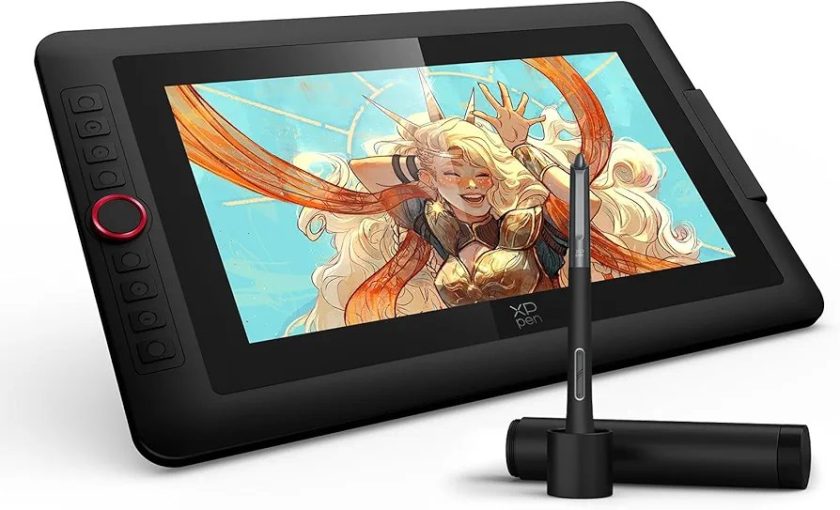
For most teachers, a screenless graphic tablet is enough. It connects to a laptop or computer, and whatever you write with the pen appears on your main screen. Teachers who want to write directly on a display can choose an XP-PEN Artist pen display.
Best Overall Choice for Teachers: XP-PEN Deco 640
For teachers who need an affordable, simple, and reliable digital writing tablet, the XP-PEN Deco 640 is an excellent choice.
Its 6 x 4-inch active area gives enough space for handwriting, annotations, and diagrams without taking too much desk space. The battery-free stylus means you do not need to charge the pen before every class, which is particularly useful for teachers with daily online sessions.
The Deco 640 is suitable for:
- School teachers
- Tuition teachers
- University lecturers
- Quran teachers
- Online language tutors
- Beginners using a tablet for the first time
It is a practical option for teaching through Microsoft Whiteboard, OneNote, Zoom Whiteboard, Google Jamboard alternatives, OpenBoard, and PDF annotation tools.
Why it works for online teaching
The tablet is easy to set up, lightweight, and beginner-friendly. A teacher can connect it to a laptop, install the driver, and begin writing digitally within a short time. For regular daily classes, it offers a smooth and professional upgrade from writing with a mouse.
Best Choice for Maths and Science Teachers: XP-PEN Deco 01 V3
Maths and science teachers often need more room to write long equations, solve numerical problems, draw geometry figures, or explain chemical and physics diagrams. The XP-PEN Deco 01 V3 is a better option for this type of teaching.
It comes with a larger 10 x 6.25-inch working area, giving teachers more freedom to write naturally. Instead of repeatedly zooming in and out, you get a wider surface for detailed lesson explanations.
The Deco 01 V3 is ideal for:
- Mathematics teachers
- Physics and chemistry teachers
- Engineering instructors
- Accounting teachers
- Coding and computer instructors
- Teachers creating recorded tutorial videos
A larger tablet can make handwriting feel more comfortable, especially if you teach for multiple hours every day. It is also useful for teachers who prepare digital notes, worksheets, and solved assignments.
Best Small Tablet for Beginners: XP-PEN Deco Mini 4
If you need a compact tablet for simple online classes or occasional digital writing, the XP-PEN Deco Mini 4 is worth considering.
Its small size makes it easy to carry between home, school, academy, and office. It is a good choice for teachers who have limited desk space or want an easy entry-level tablet for writing notes and highlighting presentations.
This model is suitable for:
- Tutors teaching one-on-one classes
- Teachers who travel frequently
- Quran and language teachers
- Beginners with a limited budget
- Teachers using a tablet alongside PowerPoint slides
While the writing area is smaller than Deco 01 V3, it can still handle everyday digital whiteboard tasks effectively.
Best Screen Tablet for Premium Teaching: XP-PEN Artist 12 (2nd Gen)
Some teachers prefer writing directly on a screen instead of looking at a separate laptop display. For them, the XP-PEN Artist 12 (2nd Gen) is a premium choice.
This is a pen display tablet, meaning you can see your notes, diagrams, and annotations directly under the stylus. It feels closer to writing on paper and can make lesson delivery more natural.
The Artist 12 (2nd Gen) is especially useful for:
- Teachers creating polished digital courses
- YouTube educators
- Art and design instructors
- Teachers who record detailed tutorial videos
- Professionals running paid online academies
It is more expensive than a screenless tablet, but it provides a more visual and comfortable teaching experience. If your online teaching is your full-time profession, a pen display can be a valuable long-term investment.
Screenless Tablet vs Pen Display: Which Is Better for Teachers?
| Feature | Screenless XP-PEN Tablet | XP-PEN Artist Pen Display |
|---|---|---|
| Best for | Everyday online teaching | Premium teaching and course creation |
| Budget | More affordable | Higher investment |
| Writing style | Write on tablet, view laptop screen | Write directly on display |
| Setup | Simple and compact | Needs more desk space |
| Recommended models | Deco 640, Deco 01 V3 | Artist 12 (2nd Gen) |
For most teachers in Pakistan, a screenless drawing tablet is the best starting point. It is affordable, portable, and fully capable of handling class notes, PDFs, whiteboards, and lesson explanations.
If you create professional courses, YouTube content, or detailed visual lessons, then an Artist display may suit you better.
How to Use an XP-PEN Tablet for Online Classes
Once you have selected a tablet, you can use it with different teaching tools:
- Connect the tablet to your laptop or desktop computer.
- Install the official XP-PEN driver.
- Open Zoom, Google Meet, or Microsoft Teams.
- Use a whiteboard app such as Microsoft Whiteboard, OneNote, OpenBoard, or an annotation app.
- Share your screen with students.
- Write notes, solve questions, and explain concepts in real time.
You can also use the tablet to mark PDF worksheets, prepare handwritten notes, and create video lectures before class.
Things to Consider Before Buying
Before buying a digital writing tablet for teaching, consider these factors:
Active area
A small tablet is enough for basic notes and short classes. A larger active area is better for maths, diagrams, lengthy writing, and extended daily use.
Compatibility
Make sure the tablet works with your laptop operating system. XP-PEN tablets support commonly used Windows and macOS systems, making them suitable for teachers using most modern computers.
Stylus type
A battery-free stylus is more convenient because you do not need to charge it. It is especially helpful when you have back-to-back classes.
Your teaching subject
For English, Urdu, Quran, and general tutoring, a compact tablet like Deco 640 or Deco Mini 4 is usually enough. For maths, science, accounting, engineering, and technical subjects, a larger model such as Deco 01 V3 can be more comfortable.
Your budget
Start with a graphic tablet if you are new to digital teaching. You can explore the complete range of XP-PEN graphic tablets to compare available models and choose one that fits your requirements.
Final Thoughts
An XP-PEN drawing tablet can make online teaching clearer, smoother, and more professional. Instead of struggling with a mouse, teachers can write naturally, solve problems live, annotate books, and keep students engaged throughout the class.
For beginners and everyday teaching, the XP-PEN Deco 640 is a smart option. Teachers who need more writing space should consider the Deco 01 V3. If you want a premium screen-writing experience for professional courses or video content, the Artist 12 (2nd Gen) is a strong choice.
Choose the tablet according to your subject, class duration, and budget—and turn every online lesson into a more interactive learning experience.